
It’s the new year! I have three apps that’ll help your New Year resolutions, to make sure you don’t break your streak within the very first week.
Whether you’re trying to exercise more, work more efficiently or change your daily habits, these three apps will help you make a better 2026. Apple Fitness+ is a truly excellent service that serves up slick, highly produced videos that will help you work out. Toggl Track can help you stay focused at work, with running timers you can tag with projects and native calendar integration. And Goal Streak Calendar can help you achieve something new or break a nasty old habit, with daily reminders and streaks.
Check out our list to see how you can transform your 2026 with just three apps.
3 apps to help you with your New Year’s resolutions
It’s hard to keep New Year resolutions the whole year … or even, sometimes, the whole winter. According to a Forbes Health/One Poll survey, over half of respondents only last through March. Some people try to make it easier by setting a yearly theme, with more vaguely defined goals that are easier to achieve.
But if you want to set an old-fashioned goal — and actually achieve it — you can use your devices to help. I found three apps that can help with the most common kinds of resolutions: exercising and losing weight, changing your daily habits and being more productive at work.
You can check these out in our YouTube video.
Table of Contents:
1. Apple Fitness+
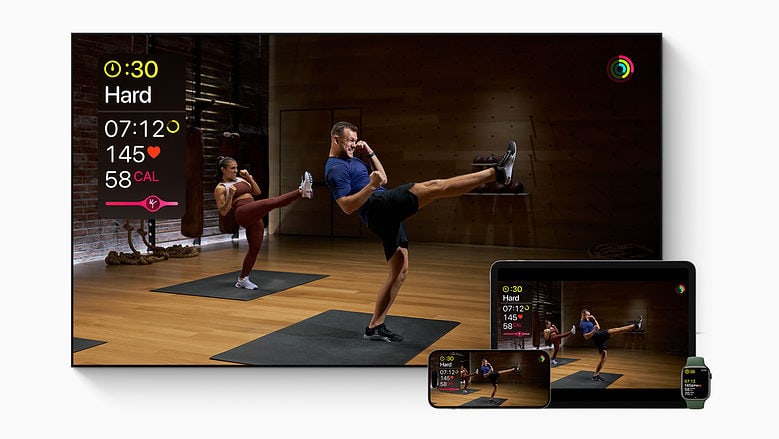
Photo: Apple
If you want to exercise more in the new year (in my case, more than literally nothing) but you don’t have a clue what you’re doing, Apple Fitness+ can help. It offers videos with all kinds of workouts that you can follow along. You can put one up on your Apple TV at home or play it on your iPhone/iPad at the gym.
There are a bunch of different workout types for common home equipment: strength training with weights, cycling, running on a treadmill and rowing. A bunch more you can do without any equipment at all: high intensity interval training (HIIT), core workouts, pilates, dance, even kickboxing.
It’s not all so intense — end your sessions with yoga, meditation or a mindful cooldown.
You can stack videos in advance to build a workout. Every video has three trainers that you can follow along — one for beginners, one intermediate and one that’s more intense.
Screenshot: D. Griffin Jones/Cult of Mac
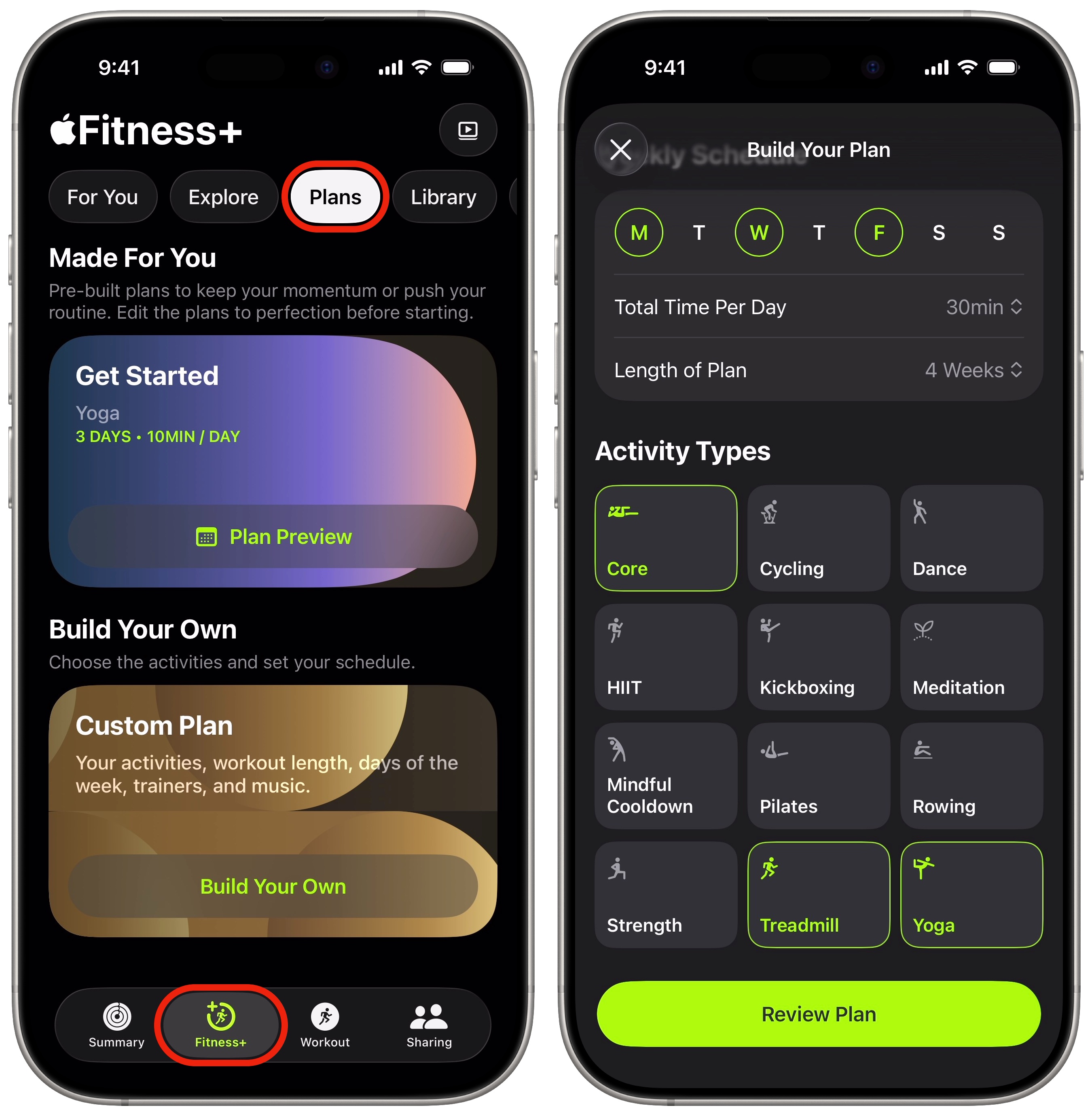
Sticking to your new year’s resolution is easy. Tap the Fitness+ tab, then Plans at the top. You can tap Plan Preview for the recommended starter plan, of yoga three days a week for ten minutes — or Build Your Own. You can set days of the week, your time commitment and which activities you want to do. Tap Review Plan and you can even customize the choice of music it’ll play.
You can subscribe to Apple Fitness+ for $9.99 a month (cheaper than most gym memberships) or inside the Apple One Premier bundle for $37.95/month (alongside 2 TB of iCloud+, Apple TV+, Apple Music, Apple Arcade and Apple News+).
Download from: App Store
2. Goal Streak Calendar
Screenshot: D. Griffin Jones/Cult of Mac
If you have any other more specific goal in mind for making or breaking a habit, Goal Streak Calendar by developer Emily Cheroske is a great app for you.
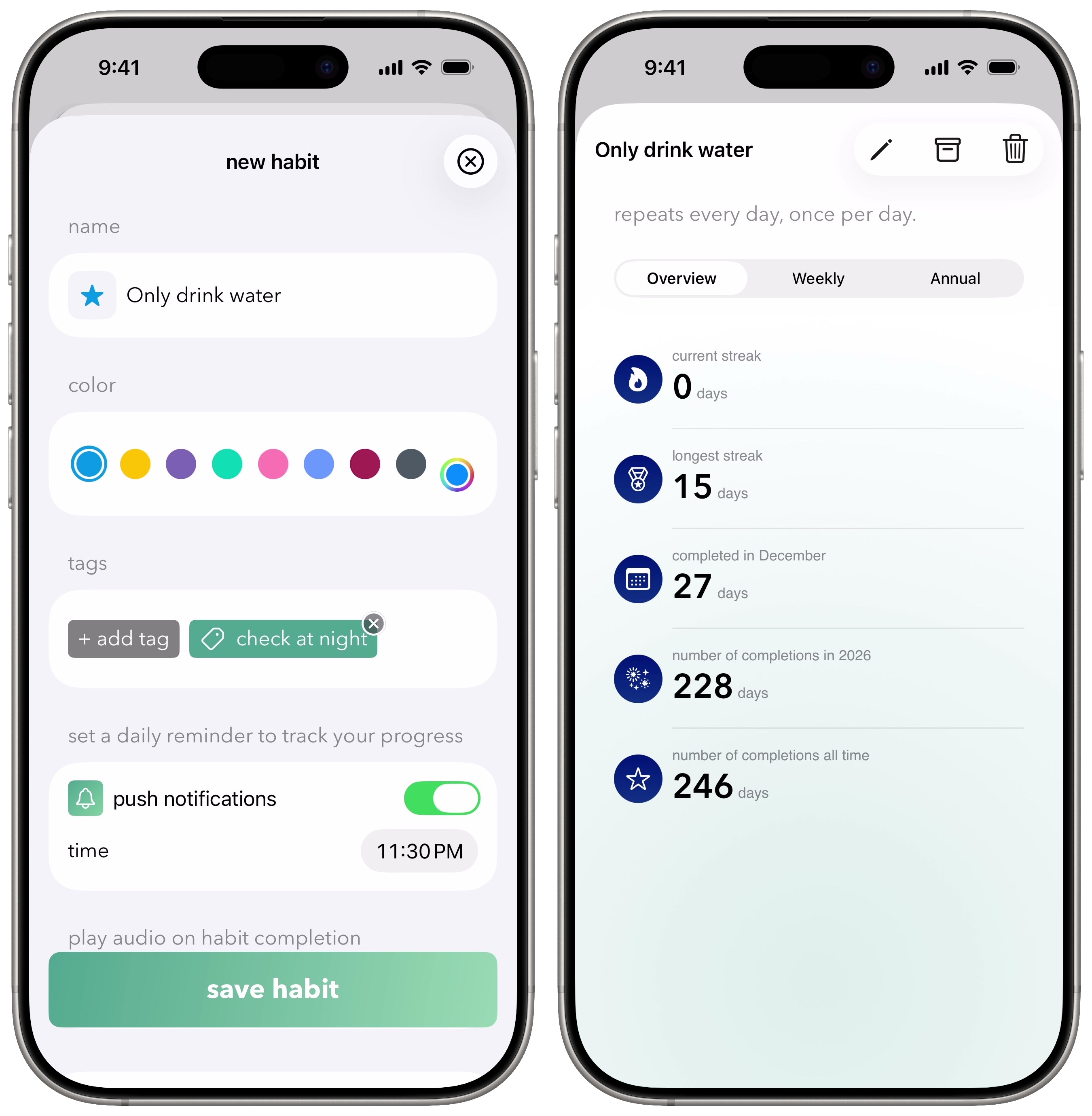
Creating a goal is easy: just give it a name, description and color. You can have just one or create multiple.
Every day, you can check off your goals and write a little note to yourself. From the calendar view, you can see how well you’re progressing throughout the year. In Settings, you can turn on a daily push notification to remind you about your tasks.
It syncs over iCloud, so you have your progress shared across your iPhone and iPad.
It’s free with no in-app purchases, no account required and a totally clean app privacy report card, so you have absolutely nothing to lose in trying it out.
Price: Free
Download from: App Store
3. Toggl
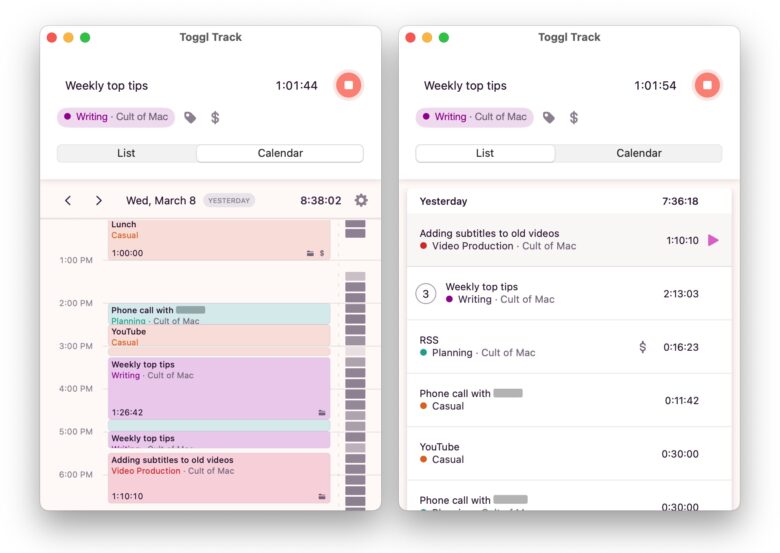
Screenshot: D. Griffin Jones/Cult of Mac
Toggl is an app that can help you be more productive and stay on task. Maybe you work remotely and you find yourself slacking off too much; maybe you’re self-employed, time means nothing to you anymore and you want to be smarter about how you work.
Toggl is simple. You type in what you’re working on, give it a category and start the timer.
You can keep the timer on-screen so that you have an ever-present reminder. Even if you don’t work on a Mac, you can use the iPhone app with Live Activity support.
The List view shows your recent activity, and you can restart any previous activity by hitting the Play button. The Calendar shows your work on a visual schedule; you can click-and-drag to log previous work.
Price: Free for personal use; $9 per user per month for extra features like tracking billable rates, sub-projects, templates and more.
Download from: Toggl (Mac)
Download from: App Store (iPhone & iPad)
We originally published this article on New Year resolutions apps on January 3, 2024. We updated it with the latest information on January 1, 2025 and December 31, 2025.

D. Griffin Jones is a writer, podcaster and video producer for Cult of Mac. Griffin has been a passionate computer enthusiast since 2002, when he got his first PC — but since getting a Mac in 2008, he hasn’t turned back. His skills in graphic and web design, along with video and podcast editing, are self-taught over 20+ years. Griffin has a bachelor’s degree in computer science and has written several (unpublished) apps for Mac and iOS. His collection of old computers is made up of 40+ desktops, laptops, PDAs and devices, dating back to the early ’80s. He brings all of these creative and technical skills, along with a deep knowledge of Apple history, into his work for Cult of Mac.

